A few years ago…I thought SEO was something only big companies with huge marketing budgets could afford. Every time I searched for ways to get my business on Google, I ended up reading complicated guides filled with technical jargon. Hiring an SEO agency wasn’t an option and wasn’t within my budget, so I decided to learn the basics myself.
To my surprise, I discovered that many SEO wins don’t require a large budget, just the right strategy and consistency. Over time, those small changes helped bring more visitors, leads, and customers to my website. If you’re in the same position, this guide will show you exactly where to start.
When I first heard the term “DIY SEO,” I assumed it meant becoming an SEO expert overnight or spending hours decoding Google’s algorithms. In reality, it’s much simpler than that. Let’s break it down in simpler terms.
What Is DIY SEO? And Can a Small Business Really Do It?
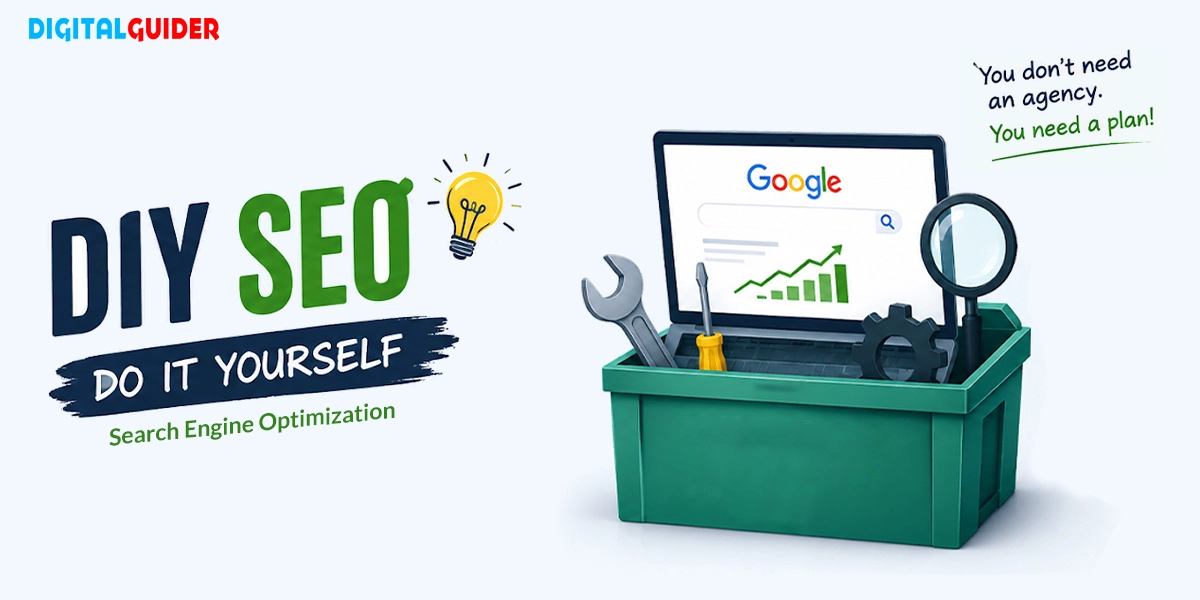
DIY SEO (Do It Yourself Search Engine Optimization) is the process of improving your website’s visibility on Google and other search engines without hiring expensive agencies or consultants. It means learning and applying SEO basics yourself.
And yes, a small business can absolutely do SEO on its own. That’s what DIY SEO is all about:
- You don’t need a huge budget– just the right strategy.
- Focus on the keywords your customers are searching for.
- Create helpful content that answers real questions.
- Optimize your website for both users and search engines.
- Stay consistent and be patient– SEO is a long-term game.
11 DIY SEO Strategies Small Businesses Can Start Using Today
You don’t need hundreds of SEO tactics or expensive tools to see results. A few proven strategies can help you rank higher, attract qualified traffic, and generate more leads.
Here are the 11 DIY SEO strategies that have consistently worked for small businesses, and they can work for yours too:
1. Find Keywords Your Customers Are Already Searching For
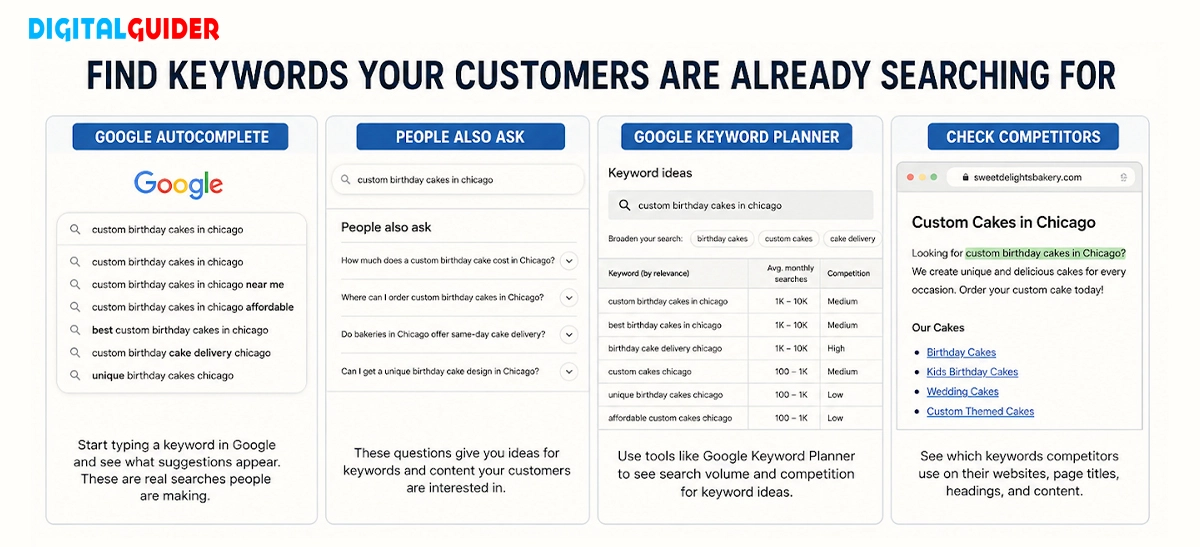
Keyword research helps you understand what your customers are searching for.
For example, someone looking for a cake is more likely to search for “custom birthday cakes in Chicago” than just “bakery.” These long-tail keywords are easier to rank for and often bring better leads.
Use Google Autocomplete, People Also Ask, Keyword Planner, and competitor sites to find ideas.
2. Optimize Your Pages So Google Knows What You’re Offering
Google can’t rank what it doesn’t understand. Every page should clearly tell search engines and visitors what it’s about.
Use descriptive page titles, compelling meta descriptions, clear headings, and your target keyword naturally. Don’t forget image file names and alt text.
For example, a page titled “Emergency Plumbing Services in Miami” gives Google much more context than a page called “Services.”
Strong on-page SEO makes your content easier to understand and easier to find.
3. Search Intent Matters More Than Just Keywords
Many small business owners think SEO is all about adding keywords to a page. In reality, understanding why someone is searching is often more important than the keyword itself.
For example, someone searching for “how to choose a wedding photographer” is looking for information, while someone searching for “wedding photographer near me” is probably ready to book a service.
Before creating content, ask yourself:
- What is the person trying to find?
- Are they researching, comparing options, or ready to buy?
- Does my page answer their question clearly?
When your content matches what people are actually looking for, visitors are more likely to stay on your site, trust your business, and take action.
4. Write Content That Answers Real Customer Questions
People search because they want answers. If customers keep asking the same questions, turn them into blog posts.
Let’s say you’re a lawyer. Instead of publishing generic content, you could answer questions like:
- How much does a divorce lawyer cost?
- How long does a divorce take?
- Do I need a lawyer for an uncontested divorce?
Helpful content solves problems, builds trust, and turns search traffic into customers.
5. Set Up and Optimize Your Google Business Profile
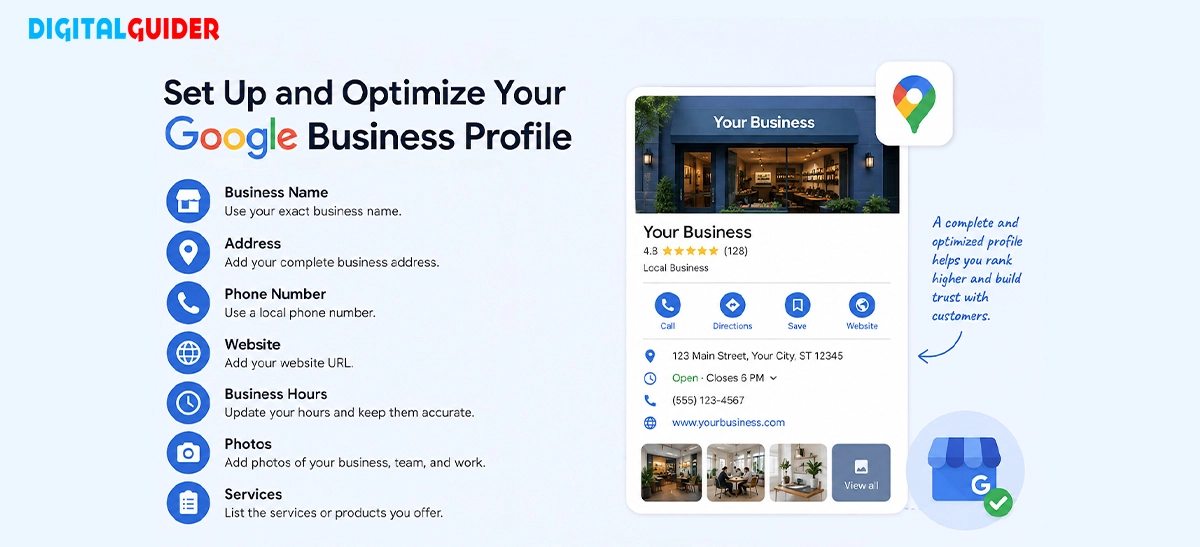
If you have a local business, setting up a Google Business Profile can help you show up in Google Search and Maps, often above regular websites.
If you haven’t already, create or claim your Google Business Profile. Then fill out as much information as possible, including:
- Business name
- Address
- Phone number
- Website
- Business hours
- Services you offer
- Photos of your business, products, or team
Reviews matter, too. Encourage happy customers to leave honest feedback on your Profile. Positive reviews build trust, boost credibility, and can improve your visibility in local search results.
6. Get Listed on Citation and Review Sites
Don’t overlook business listings. Citations and review sites help customers and search engines verify your business. These online directories display important information about your business, like NAP and customer reviews.
List your business on trusted platforms like:
- Yelp
- Bing Places
- Yellow Pages
- Industry directories
Your business name, address, and phone number, often called NAP information, should be identical everywhere. For example, if your website says “123 Main Street,” avoid using “123 Main St.” on another platform.
7. Fix Technical Issues That Are Quietly Hurting Your Rankings
Technical SEO sounds intimidating, but the basics are simple. Sometimes, poor rankings have nothing to do with your content.
Common issues that hurt rankings include:
- Broken links
- Slow page speed
- Missing pages
- Indexing problems
- Duplicate content
The good news? You don’t need to be a developer. Tools like Google Search Console and PageSpeed Insights can spot problems and suggest fixes.
8. Make Sure Your Site Works Perfectly on Mobile
Most searches happen on mobile devices, so a mobile-friendly website is essential. If your site is slow or hard to use, visitors will leave.
Make sure your pages load quickly, text is easy to read, and buttons are easy to tap. Also, check that your site works properly on phones and tablets.
Since Google primarily uses the mobile version of your site for indexing, poor mobile usability can negatively affect visibility and user engagement.
9. Build Internal Links Across Your Pages
Internal links connect pages across your website. They help visitors discover more content and help Google understand your site structure.
Link related pages whenever possible. For example, a blog about local SEO can link to your keyword research guide or service page.
Smart internal links help search engines discover and understand the relationship between your pages, which can improve crawling and indexing efficiency.
10. Earn Quality Backlinks
Backlinks are links from other websites to yours. They act as trust signals and help build authority in Google’s eyes.
You don’t need hundreds of links. A few relevant, high-quality backlinks can help strengthen your site’s authority, especially when combined with strong content and technical SEO. Focus on earning relevant and trustworthy links rather than chasing quantity.
Avoid buying spammy backlinks or joining link schemes. They can do more harm than good.
11. Show Up in AI Search, Not Just Google
People no longer rely only on Google. Platforms like ChatGPT, Perplexity, and Google AI Overviews are changing how content is discovered. That’s where GEO and AEO come in.
To improve your AI visibility, create clear, helpful content that answers specific questions. Use descriptive headings, add FAQs, and organize information in a simple format.
Clear, well-structured content is generally easier for search engines and AI systems to interpret and reference.
The Best Free and Low-Cost SEO Tools to Put These Strategies Into Action
The good news is that you don’t need expensive software to do SEO effectively. Many free and affordable tools can help you research keywords, track performance, and identify issues with your website.
Some of the most useful tools include:
Tools | Purpose |
| Google Search Console | Performance & indexing |
| Google Analytics | Traffic analysis |
| Keyword Planner | Keyword research |
| Google Business Profile | Local SEO |
| PageSpeed Insights | Website speed |
| Ubersuggest | Keyword ideas |
| AnswerThePublic | Content topics |
| Yoast SEO | On-page optimization |
How to Know If Your DIY SEO Is Really Working
Tracking SEO doesn’t have to be complicated. You don’t need to check rankings daily, but a few key metrics will show if you’re moving in the right direction.
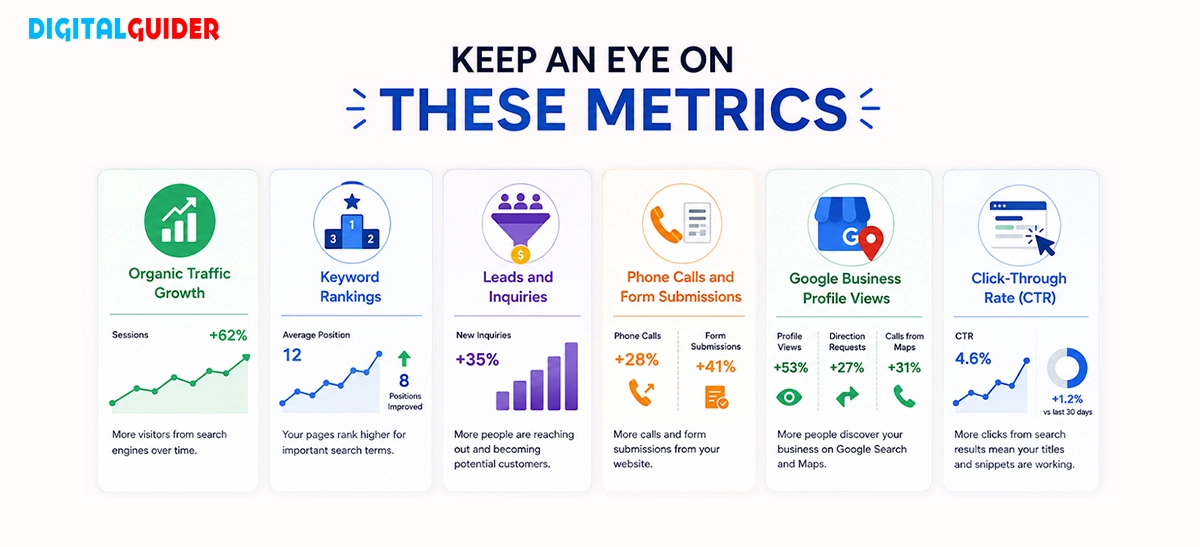
- Organic Traffic Growth: Visitors coming from unpaid search results. Steady growth means your SEO is working. Track it in Google Analytics.
- Keyword Rankings: Check where your pages appear for target keywords. Even moving from page three to page one can boost visibility and traffic.
- Leads and Inquiries: The real goal. Track form fills, quote requests, emails, and bookings that turn traffic into customers.
- Phone Calls and Form Submissions: Strong conversion signals for small businesses. More calls and submissions mean better targeting.
- Google Business Profile Views: Important for local SEO. More views, calls, and requests for directions indicate growing local visibility.
- Click-Through Rate (CTR): How often users click your site in search results. Higher CTR means your titles and descriptions are effective.
The Pros and Cons of Doing SEO Without an Agency
Pros | Cons |
| You already know your customers, so your content feels real and relevant | Requires technical patience for things like speed, indexing, and structure |
| Lower cost; you invest time instead of paying monthly agency fees | Backlink building is difficult and takes outreach, relationships, and effort |
| Full control over updates, changes, and publishing | SEO takes time; results are slow and require consistency |
| Faster execution, no waiting for approvals or teams | Learning curve can feel overwhelming at the start |
DIY SEO Mistakes That Small Businesses Make
Many businesses give up on SEO because they expect immediate results. In reality, SEO takes time and consistency. Some common mistakes include:
- Targeting highly competitive keywords.
- Publishing content without understanding search intent.
- Ignoring local SEO.
- Forgetting about mobile users.
- Neglecting technical issues.
- Buying cheap backlinks.
- Expecting results within a few weeks.
DIY SEO Glossary: Key Terms Every Small Business Owner Should Know
Keyword: The words or phrases people type into Google when searching for information.
Backlink: A link from another website pointing to your website.
On-Page SEO: Optimizing content, titles, headings, and images on your pages.
Local SEO: Improving your visibility for location-based searches.
Google Business Profile: Your business listing that appears on Google Search and Maps.
Meta Description: A summary that appears below your page title in search results.
Internal Link: A link that connects one page of your website to another.
Organic Traffic: Visitors who find your website through unpaid search results.
Search Intent: The reason behind a user’s search query.
Technical SEO: Improving your website’s speed, crawlability, and overall performance.
Conclusion
DIY SEO is not about gaming Google or becoming an expert overnight. It’s about consistently doing small, smart actions that help search engines understand your business. With the right strategy and patience, small businesses can compete online without heavy agency costs. SEO works best as a long-term investment.
Share This Article
About the Author: Adrian Thorne

Related Articles
 September 21st, 2026 | 8 minutes read
Someone nearby is searching for a cannabis dispensary right now. They may want a specific strain, need to check store
- September 17th, 2026 | 8 minutes read
Austin is a competitive market for local businesses, tech companies, startups, and growing brands. The right agency can help you
- September 14th, 2026 | 7 minutes read
Search used to take minutes. AI changed it into seconds. People are not more interested in scrolling down 10 blue
- September 10th, 2026 | 13 minutes read
1. DigitalGuider 2. Thrive 3. WebFX 4. Coalition 5. Victorious SEO 6. First Page Sage 7. RankScience SEO 8. The