Synopsis Launching and promoting a new website requires strategic planning and execution. This guide covers domain selection, hosting, SSL, CMS, design, content, and SEO. It also explains conversion strategies, analytics tracking, and promotion methods like social media and email marketing to help drive traffic, generate leads, and grow your online business effectively.
Launching a website feels exciting at first. Then reality hits because publishing a site is easy, but getting consistent traffic, leads, and sales from it is where most businesses struggle.
Whether you want to generate leads, grow brand visibility, attract customers, or sell products online, your website launch strategy matters more than people think.
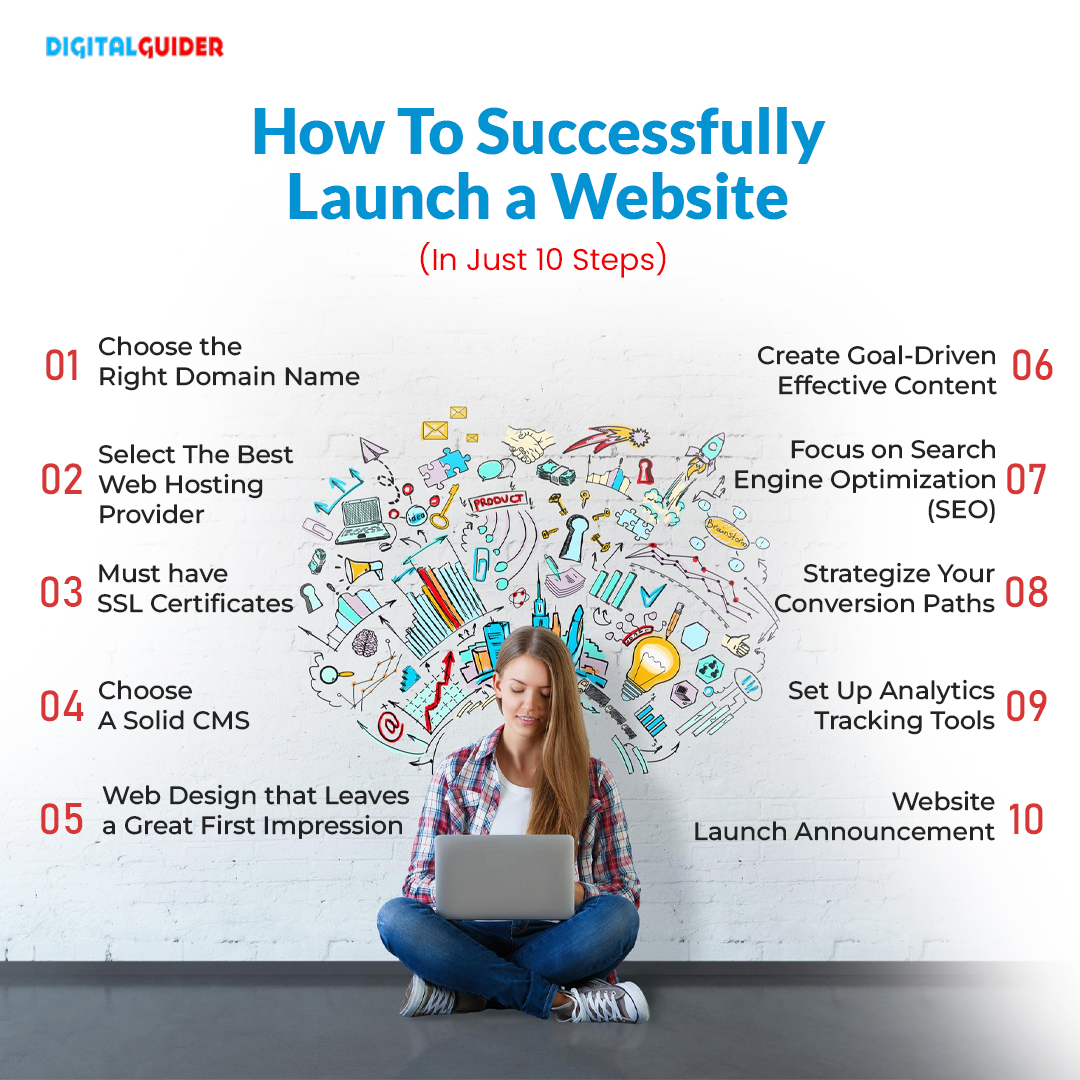
That’s why we’ve simplified the entire process into 10 practical steps so you can launch your website the right way without missing the things that actually impact growth.
Now, let’s get started.
What is Website Launch?
A website launch means publishing your website live on the internet after completing its design, content, testing, SEO setup, and performance optimization so users and search engines can access it.
How to launch and promote a new Website successfully?
Step 1: Choose the Right Domain Name
Choosing the right domain name is one of the first major decisions during a website launch because it affects branding, trust, memorability, and even how users search for your business online.
When people search for businesses like yours on Google or AI-powered search platforms, your website should be easy to find, easy to trust, and easy to remember.
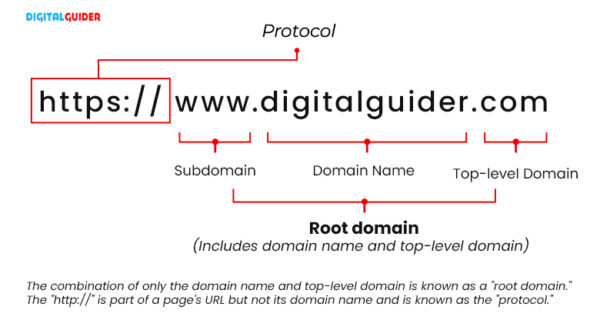
Website URL Structure
Two types of domains you can choose:
- Branded domains
- Keyword domains
1- Branded Domain
A branded domain is when you have a business name that is a brand name. A brand name can communicate usefulness or an aspiration or subtly shares an affinity with the target audience through jargon or slang.
Below, you can see the branded domain example that represents particular brands, i.e., DigitalGuider

Domain Name of Digital Guider
2- Keyword Domains
If you are not getting any idea, you can refer to keywords. Keyword domains can be powerful as visitors tend to want what’s in the keyword.
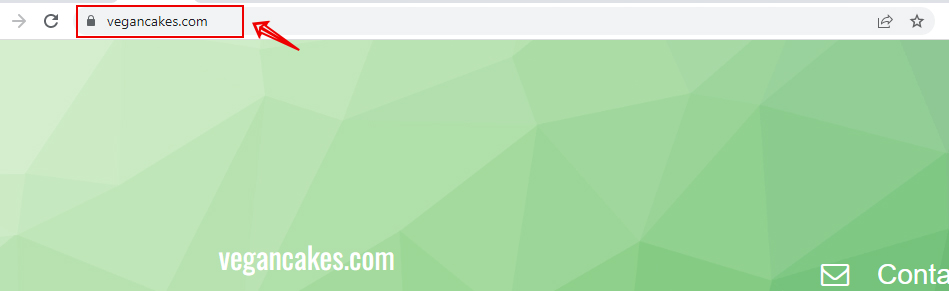
Keyword Domain Example
In the above example, www.VeganCakes.com is an exact match domain for the search term “vegan cakes.” In this way, you can search rich keywords & turn them into a domain. Make sure it is available.
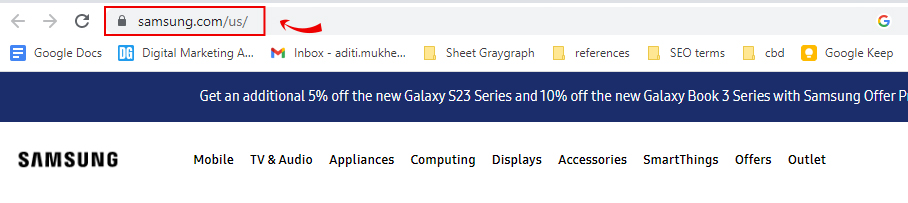
Keyword Domain Example
How to choose the best domain name?
A good domain name should be short, easy to pronounce, and simple to type on mobile devices. Including a relevant keyword can help, but strong branding and memorability matter far more for modern SEO and AI search visibility. Most users search quickly on mobile devices, especially during comparison searches, so long or confusing domain names are often forgotten, misspelled, or ignored.
When choosing a domain name:
- Prefer a .com extension if available
- Keep it short and brandable
- Avoid hyphens and numbers
- Make it easy to pronounce and type
- Use relevant keywords naturally
- Check trademarks before registering
- Make sure the domain is available
A clean and trustworthy domain name improves brand credibility, click-through rates, and search visibility across both traditional search engines and AI-generated search experiences.
Some useful domain name generators include Namelix, Lean Domain Search, Shopify Business Name Generator, and Instant Domain Search. They’re great for brainstorming ideas when your first choice is already taken.
- For startups → Namelix + Instant Domain Search
- For ecommerce → Shopify Business Name Generator
- For SEO niche sites → Lean Domain Search
- For buying domains → Namecheap or Spaceship
Here’s an example of a Nameboy site where I’m looking for marketnorms.com, but as you can see, it isn’t available; also, you get various ideas regarding this domain.
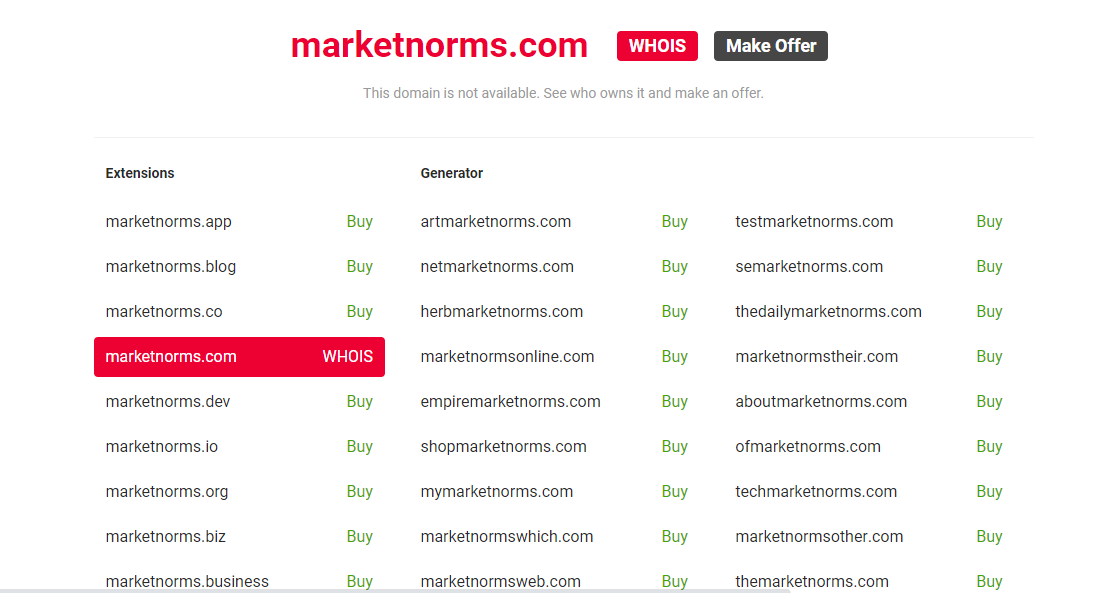
You can mix and match the words to create a unique & relevant domain name.
Step 2: Select The Right Web Hosting Provider
After choosing your domain name, the next step is selecting reliable web hosting because your hosting directly affects website speed, uptime, security, and SEO performance.
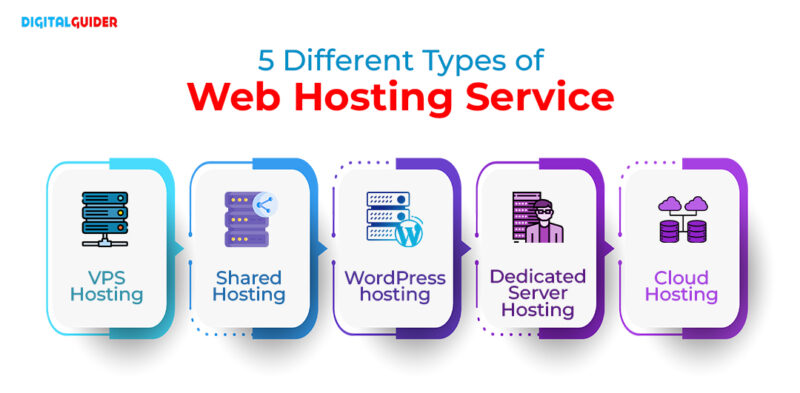
Types of Web Hosting Services
Reliable hosting helps your website load faster, stay secure during traffic spikes, and deliver a smoother experience for both users and search engine crawlers. The right hosting directly impacts your website’s performance, rankings, and user experience.
Here are types of the leading web hosting services mentioned below:
- VPS Hosting
- Shared Hosting
- WordPress hosting
- Dedicated Server Hosting
- Cloud Hosting
You need to select an appropriate type of hosting as per your business requirements. Affordable price, Customer support, Storage, and performance are the key features. There are plenty of web hosting services here.
While choosing your right hosting plan, cross-check all the below-mentioned features to avoid excessive investment in web hosting plans.
Types of Web Hosting Services
When evaluating different web host services, consider these 7 major hosting elements:
Some popular web hosting providers:
- Beginners usually go with → Bluehost or Hostinger
- SEO agencies prefer → SiteGround, Kinsta, or Rocket.net
- Scaling businesses often move to → Cloudways or WP Engine
Step 3: SSL Certificates
While selecting a domain hosting company, you need to figure out if they are providing an SSL certificate.
As it’s a matter of site SECURITY……
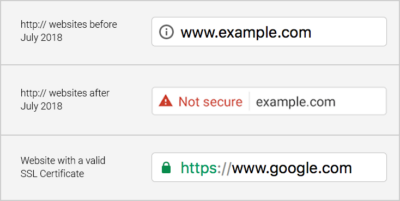
An SSL certificate is installed on the hosting server to provide a more secure connection between your website and its users. Websites with an SSL certificate are easily identified with the use of https:// instead of http:// in the URL.
HTTPS is now a standard trust signal for users and an important ranking factor for search engines, making SSL certificates essential for every modern website.
SSL URL Example
Step 4: Choose A Solid CMS
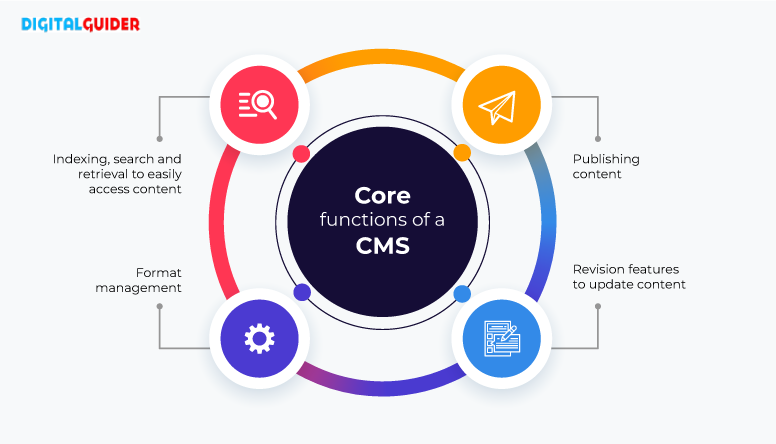
A CMS (Content Management System) helps you build, manage, edit, and optimize your website without needing advanced coding skills.
Core Functions of CMS-Info
Through CMS platforms, you can select the best theme and manage it through a manageable dashboard.
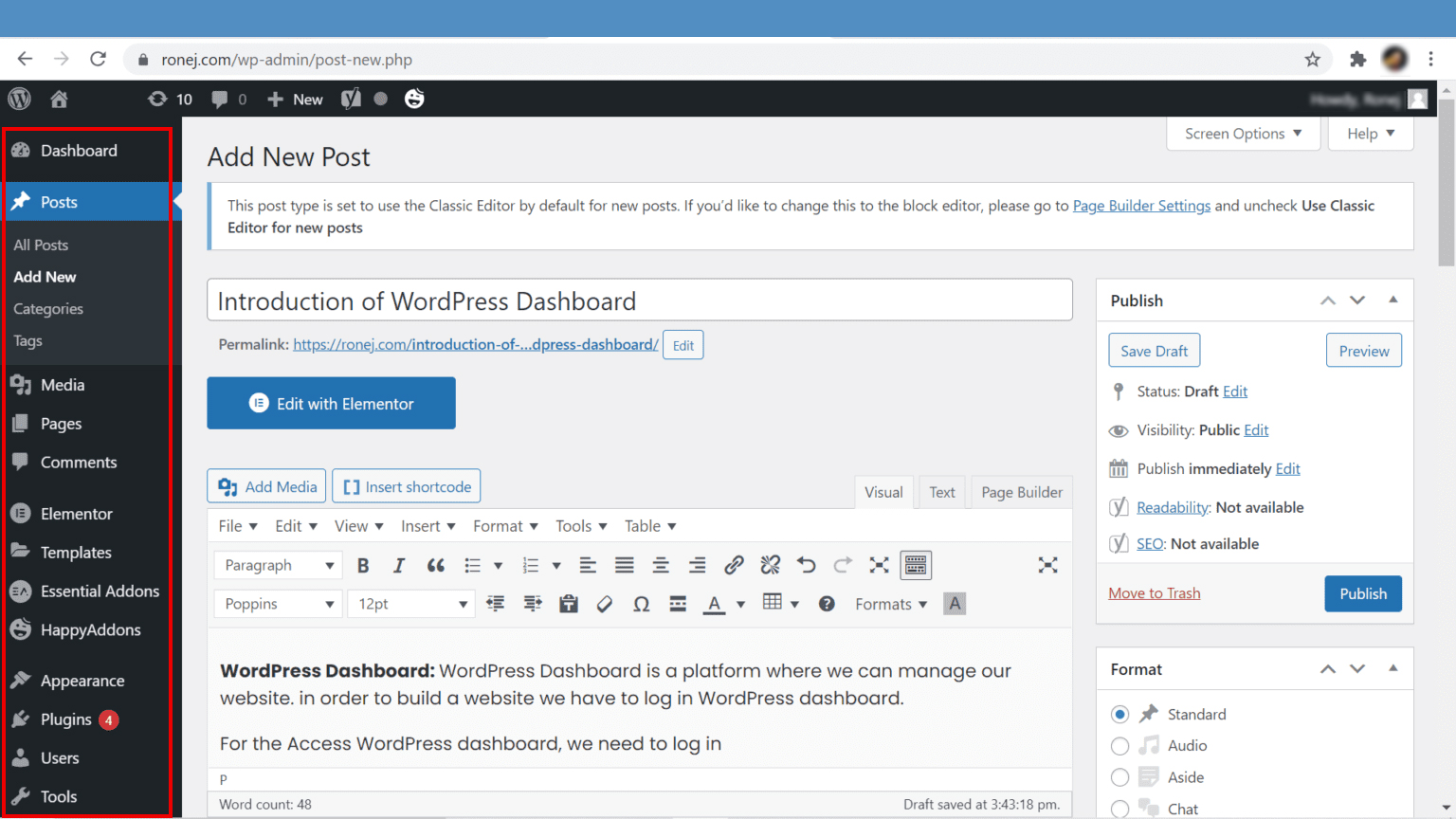
WordPress Dashboard
Some popular CMS platforms available:
Best CMS Based on Use Case
Step 5: Web Design that Leaves a Great First Impression
Once the technical setup is complete, your website design becomes the next priority because first impressions heavily influence trust, engagement, and conversions. Design & site presentation are essential for first impressions.
If you already have a logo, you know the exact colors you want to use for your website.
You should currently consider the styles you’ll use. To ensure a consistent user experience across your site’s pages, choose one design style and stick with it.
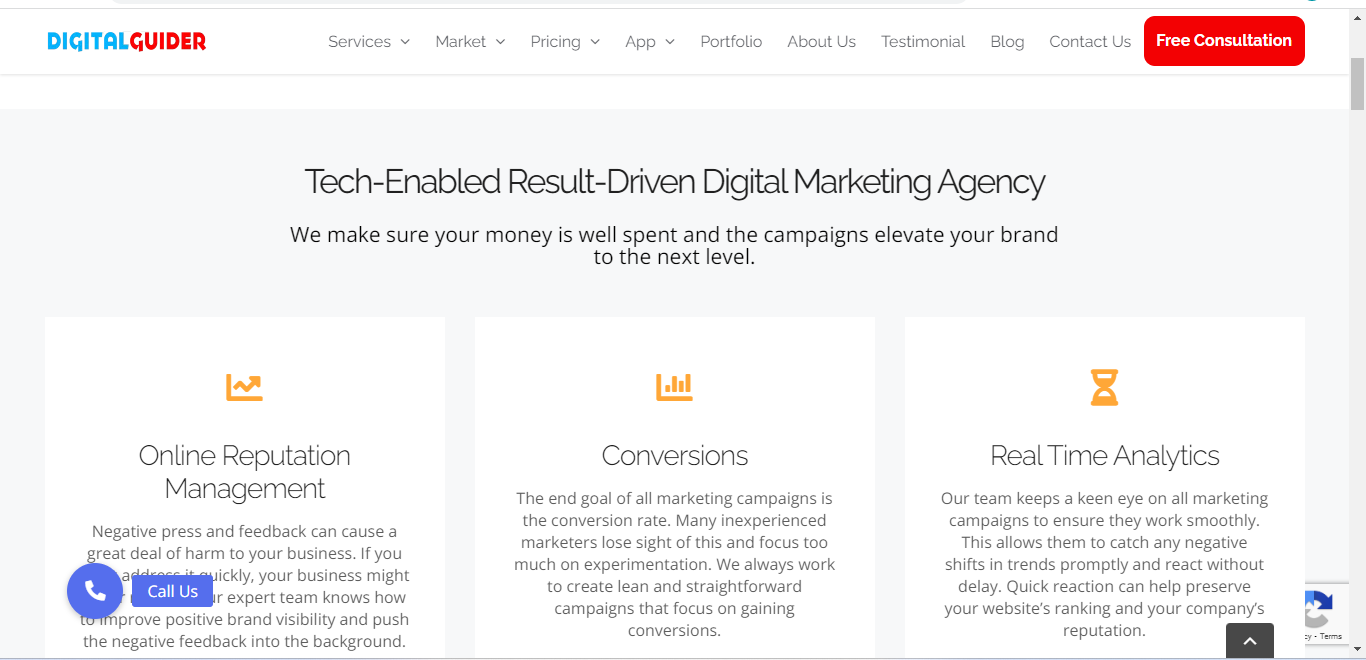
Now, you’re ready to roll up your sleeves and design your site, but how will you do it? Let’s understand this with the help of the example of the DigitalGuider site:
A) Provide proper white space:
Avoid overcrowding pages with unnecessary text. Clean layouts and proper spacing make content easier to scan, especially for mobile users who prefer fast answers. Allow your website “breathe” a little. Your site is there to share relevant information, but ensure that you present that information in the most user-friendly way.
Here in this DigitalGuider example, you can see there is enough white space to help readers or visitors understand the website layout & content easily without eyestrain👉👀.
B) Simple site navigation is crucial:
Keep the number of menu options realistic; the fewer, the better. This is not to say that your website can’t have a lot of pages; rather, accessing a particular page shouldn’t be difficult.
Reduce the number of items in your menu and add links and buttons to individual pages to make it easier for users to navigate away from the menu and to other areas of your website.
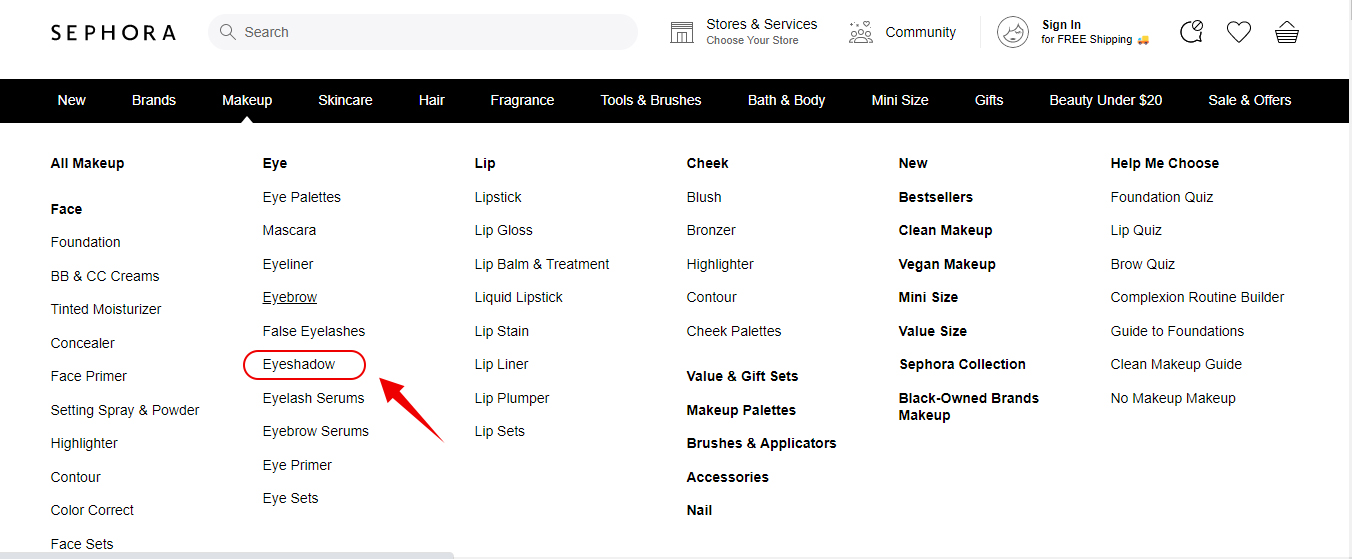
🟢 In this Sephora example below, you can see the clear categorization like Makeup < Eye < Eyebrow
Step 6: Create Goal-Driven Content
- Now that your domain, hosting, CMS, and website design are ready, it’s time to focus on the part that actually drives traffic and conversions – content.
- A beautiful website without useful content is just an empty shell. Your content is what explains your brand, builds trust, attracts visitors, and turns them into customers.
- Before creating pages, ask yourself: What action do you want visitors to take? Whether it’s generating leads, explaining services, building authority, or driving sales, every page should have one clear goal and content that supports it.
1. Keep it Short and Simple
Don’t bore your readers or lose them in a seemingly never-ending flow of words. Plan out each page with a loose outline and bullet points. Great content keeps users interested and combines standard blog posts with images, videos, and audio or musical content.
2. Your Content Should Not Be All About You
Your testimonials should do this heavy lifting for you.
Your content should strike a healthy balance between explaining how your brand will help visitors and giving your target audience what they’re looking for: a solution to their problems.
So even though this is your site, stop boasting about your achievements and focus more on serving your audience.
3. Brainstorm Your Calls to Action
Every piece of content you add to your site should be well thought out. But this is especially true for your calls to action.
If you want visitors to take action, you need to tell them to do so explicitly. When done right, they guide and motivate visitors to make a move.
In the same way, you have a goal for each page, your calls to action should also have a goal. What do you want your visitor to do? This same concept applies to your button text as well.
Some common examples of call-to-action buttons are:
- Add-To-Cart
- Free Trial Sign-Up
- Download Now
- Grab Your Copy
- Try It Now
- Get A Quote Now
- Get Started
- Sign Up
- Reserve Your Seat
- Learn More
- Swipe Up
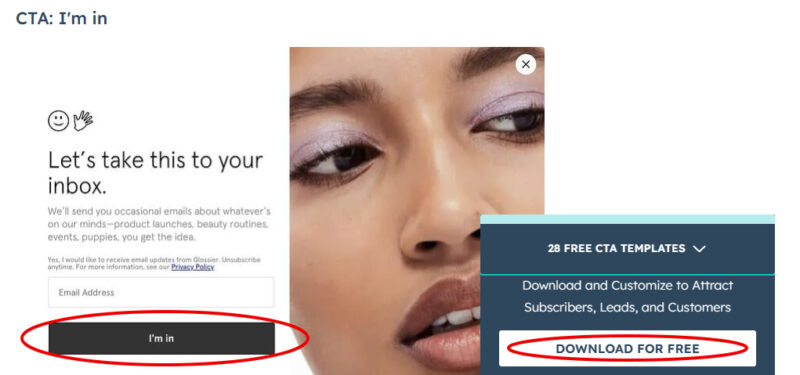
CTA Button Example
Step 7: Focus on Search Engine Optimization (SEO)
You must ensure all your pages are fully optimized for search engine algorithms.
An SEO-optimized website improves visibility in Google search results, AI-generated summaries, and organic discovery channels, helping you attract qualified traffic consistently.
Consequently, since SEO can impact your site’s performance (and ultimately, your revenue), websites need a solid SEO strategy across:
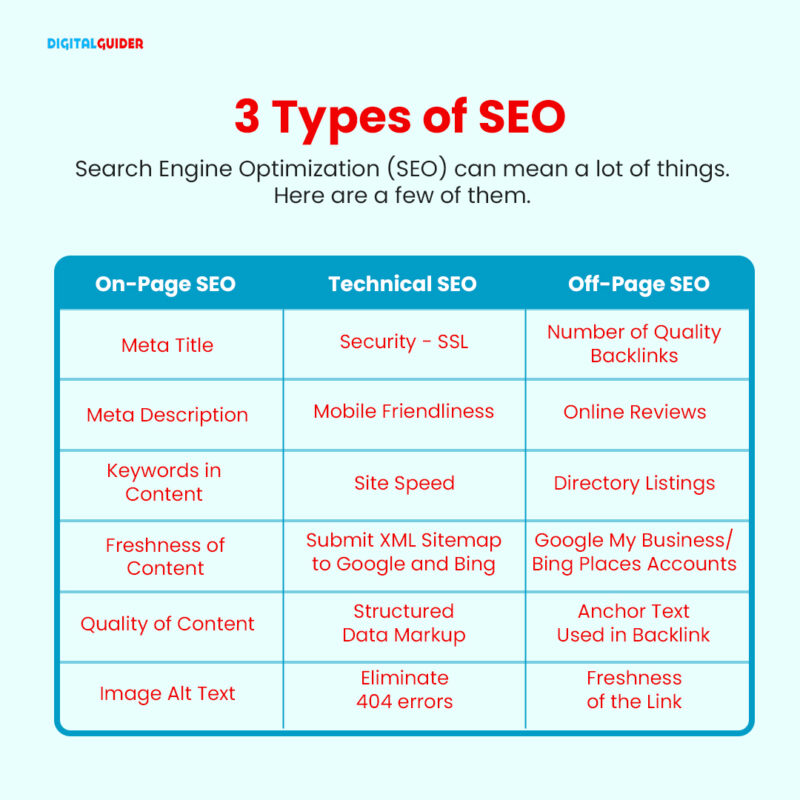
Types of SEO
On-Page SEO:
In this step, you need to give proper attention to these onsite elements which include: targeted rich keywords, Title tags, Internal links, Headings, Content (SEO copywriting), Meta descriptions, Relevant Images with alt text, & more optimizations.
Technical SEO:
This step includes technical approaches to meet search engine requirements. For expert help, explore our technical SEO services. It involves optimizing your website and server to help search engine crawlers efficiently crawl and index your site.
Key elements to focus on include robots.txt files, page loading speed, site architecture, schema and structured data, canonical tags, XML sitemaps, mobile-first indexing, site security, and more.
Off-Page SEO:
Off-page SEO includes activities outside your website that improve authority, trust, and search visibility, such as backlinks, brand mentions, PR, and social signals.
Step 8: Strategize Your Conversion Paths
What’s your ultimate goal? Sales–Revenue–Profits…..Right?
For that, you must build a conversion strategy that will direct your audience to take relevant action through CTA.
You must decide precisely what actions you want users to take and how you’ll collect their information. This includes considering
- What premium top-of-the-funnel offers are needed
- What forms need to be created
- What bottom-of-the-funnel action will be shown on the main page
- How will you track the conversions
- What type of actions will happen after a website visitor converts (email subscribers or responders, etc.)
- What landing pages and thank you pages need to be created
Step 9: Set Up Analytics Tools
Tracking user behavior helps you understand what visitors are doing on your website, where they drop off, and which pages actually drive conversions. This is why analytics platforms like Google Analytics and CMS analytics must be monitored.
Key website launch KPIs to track:
- Organic traffic
- Conversion rate
- Bounce rate
- Top-performing pages
- Traffic sources
- Keyword rankings
- Average session duration
- Mobile vs desktop performance
- Page speed and Core Web Vitals
- Form submissions or lead inquiries
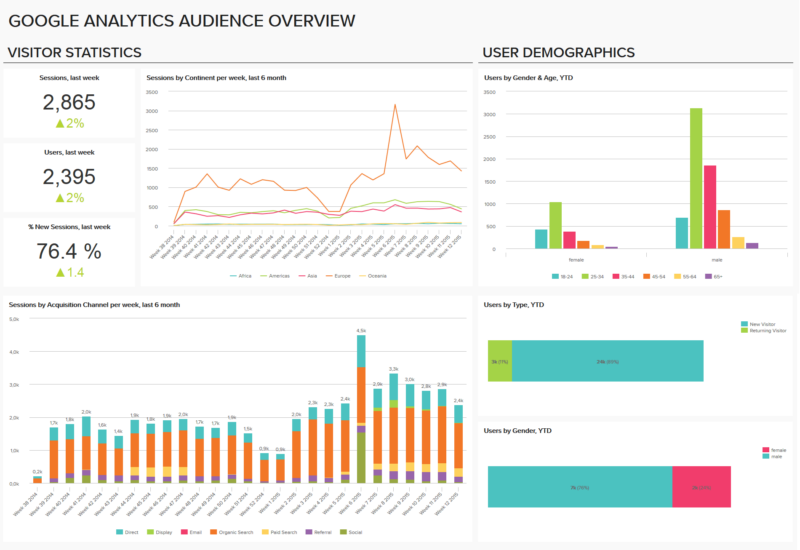 Google Analytics Audience Overview |
Step 10: Website Launch Announcement— Do This As Part Of Your Launch
Promoting your website after launch is just as important as building it because even a well-designed website cannot generate traffic without visibility. Some options for announcing your new website include:
- Social media: Social media posting is a cost-free way to promote your new website. With a strong marketing strategy, you can use social media to drive targeted customers to your website.
- Email marketing strategy: If you have a list of email subscribers, you can use it to inform them of the launch of your new website and explain what has changed and how it might affect their interactions with your brand.
- Press release: You can use a press release to inform the media about your new website if it can help your customers or provides something special that no other company does.
- Promoting offers: Giving visitors something in return is one of the best ways to increase traffic to your new website. You can promote special offers through email or social media to attract visitors and boost conversion rates.
Common Website Launch Mistakes to Avoid
Even a well-designed website can fail if key mistakes are overlooked during launch. Avoiding these common issues can save time, money, and lost opportunities.
- Launching without SEO basics
Many websites launch without proper SEO foundations like optimized titles, structured headings, schema markup, or internal linking, which limits their visibility in both Google and AI search results. - Ignoring mobile optimization
Most users browse on mobile devices. If your website is not responsive, you risk losing both rankings and users. - Slow loading speed
A delay of even a few seconds can increase bounce rates. Optimize images, use caching, and choose reliable hosting. - Weak or missing CTAs
If users don’t know what action to take, they leave. Every page should guide users clearly. - No tracking setup
Without tools like Google Analytics and Search Console, you won’t know what’s working and what needs improvement.
- Launching without SEO basics
The Key Takeaway
A successful website launch is not just about going live. It’s about building a website that search engines can understand, AI platforms can reference, and users can trust enough to take action.
Need more tips & information for your business ranking, branding, and marketing? Visit our blog section now. There you’ll find a lot of useful tried & tested advice and insights into different areas of the online world – from SEO to e-commerce to web design & more.
FAQ for Website Launch
1. When is the best time to launch a website?
The best time to launch a website is usually during weekdays, especially Tuesday to Thursday, when your audience is more active online and your team can quickly fix any unexpected issues.
2. Should I launch my website publicly or start with a soft launch?
A soft launch is often the smarter option. It helps you test the website with a smaller audience, collect feedback, spot errors, and improve the user experience before going fully public.
3. How do I test my website before launching?
Before launching, test your website on mobile devices, different browsers, contact forms, page speed, navigation flow, and broken links. Even small issues can affect trust and conversions once traffic starts coming in.
4. Why is branding important during a website launch?
Strong branding helps people remember your business. Consistent colors, messaging, visuals, and tone create trust faster, especially for first-time visitors comparing multiple websites.
5. Can I update my website after launching it?
Absolutely. Most successful websites are updated regularly. From SEO improvements and content updates to design changes and performance fixes, your website should continue evolving after launch.
6. How can I make my website stand out from competitors?
Focus on what makes your business different. Clear messaging, fast loading speed, useful content, simple navigation, and strong calls-to-action usually outperform flashy designs that confuse visitors.
7. Do I need legal pages before launching my website?
Yes, important legal pages like a Privacy Policy, Terms & Conditions, and disclaimers help build trust and keep your website compliant with online regulations.
8. What should I do immediately after launching my website?
Right after launch, submit your website to Google Search Console, request indexing for important pages, start promoting your site on social media, and monitor analytics to catch issues early.
Share This Article
About the Author: Kenji Tanaka

Related Articles
 October 26th, 2026 | 9 minutes read
Most customers don’t buy the first time they visit a website. They may need a reminder, helpful information, or a
- October 22nd, 2026 | 9 minutes read
Finding a dentist used to start with a recommendation. Today, it often starts with a search. When patients face any
- October 19th, 2026 | 8 minutes read
The next patient for your dental office is probably already searching for you. The question is: Will they find you
- October 12th, 2026 | 6 minutes read
Imagine someone needs a lawyer today. What do they do? They pull out their phone, search Google, compare a few